
Add a short clip
Drop, paste or choose an MP4, MOV, WebM or MKV video up to 30 seconds. A computer with a recent Chrome or Edge works best.
AI makes a new frame between every two frames of your clip, so 24 fps becomes 48, 30 becomes 60 and 60 becomes 120, at the same speed and with the sound kept. It runs on your device’s graphics chip, so your video never leaves your computer.
Open Video FPS Increaser →Drop, paste or choose an MP4, MOV, WebM or MKV video up to 30 seconds. A computer with a recent Chrome or Edge works best.
AI makes a new frame between every two frames on your graphics chip. Watch the new frames appear with the time left.
Play the result next to the original and download the MP4 at twice the frame rate, at the same speed and with the sound.
Use Manlin to reflect, plan and take your next step.

Yes. Use it as often as you like, with no account and no watermark.
An AI model looks at each pair of neighbouring frames, works out how things move between them and draws the frame halfway in between. Your original frames are kept, so a clip with N frames comes back with 2N − 1 frames at twice the frame rate.
No. The video plays at the same speed and lasts as long as before; it just has twice as many frames per second. The sound is kept.
Any. The result has twice the original rate: 24 fps becomes 48, 25 becomes 50, 30 becomes 60 and 60 becomes 120. Videos above 60 fps are first reduced to 60 fps, so they come back at 120 fps.
No. The AI runs in your browser on your graphics chip and the video never leaves your device. Only the AI model is downloaded the first time (about 11 MB), and your browser keeps it for next time.
Videos up to 30 seconds and 500 MB. Larger videos are made 720p; on a fast graphics chip, the HD option keeps up to 1080p. It needs a browser with WebGPU, such as a recent Chrome or Edge on a computer. For videos up to 10 minutes and up to 2000 × 1080 without a graphics chip, use the online FPS increaser.
Making new frames needs WebGPU, the browser’s way to use the graphics chip. Some browsers and devices don’t offer it yet, or have it turned off. Try a recent Chrome or Edge on a computer, or use the online version.
This tool keeps the original speed. To make slow motion, slow the result down by half in a video editor: it then plays at the original frame rate with every movement twice as long.
You can open MP4, M4V, MOV, WebM and MKV videos. The result is an MP4 (H.264) file that plays almost everywhere.
 Video Compressor & EditorCompress video to a smaller size or to fit 10 MB or 25 MB, trim, crop, change speed, convert MP4 to MP3 and remove audio. Free in your browser: no upload, no watermark.
 Video ConverterConvert videos to MP4, WebM, MOV or MKV for free. Pick the quality and resolution, preview the result and download. Runs in your browser: no upload, no sign-up, no watermark.
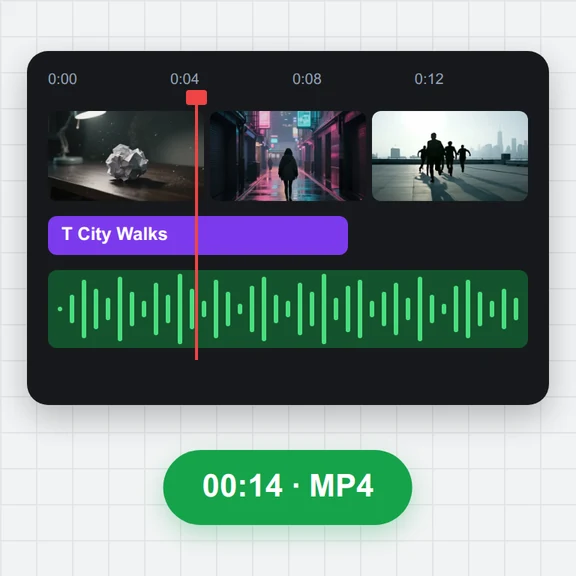 Video EditorEdit videos free in your browser: multi-track timeline, split and trim, transitions, titles, subtitles, music, speed and colour, then export MP4, WebM, GIF or MP3. No upload, no sign-up, no watermark.
 Video to GIF ConverterConvert video to GIF free in your browser: trim MP4, MOV or WebM clips, choose the size and frame rate, and download a looping GIF. No sign-up, no upload, no watermark.
 GIF MakerMake an animated GIF from photos or images free in your browser: reorder frames, set the speed, loop, size, crossfade and text, then download a GIF or MP4. No sign-up, no upload.
 Subtitle GeneratorGenerate subtitles from speech automatically, free. Edit captions, style them, download SRT, VTT or TXT, or burn them into your MP4. No upload, no watermark.