
Pick a road or a lesson
Choose the ring road, the on-ramp, the traffic lights or the roundabout, or open a preset such as Phantom traffic jam or Zipper merge. The traffic starts right away.
This traffic simulator lets every car drive on its own: it follows the car ahead, reacts a moment late and changes lanes when it pays. Start on a ring road where a phantom traffic jam forms without any accident, then try an on-ramp, traffic lights and a roundabout. Change the traffic, the speed limit, the driving style, the reaction time and the signal timing, stall a car, and read the average speed, flow, density and delay live, with a time-space diagram that shows jams rolling backwards. Save a picture or a video clip.
Open Traffic Simulator →Choose the ring road, the on-ramp, the traffic lights or the roundabout, or open a preset such as Phantom traffic jam or Zipper merge. The traffic starts right away.
Move a slider: more cars, a lower speed limit, bolder drivers, slower reactions or a longer signal cycle. Stall a car to block a lane. Most changes apply while the traffic keeps running.
Watch the average speed, flow, density, throughput and mean delay, and the time-space diagram where jams show as red bands. Save a PNG or export a video clip.
On the ring road there is no accident and no narrowing. At 80 km/h and a 1 second reaction time, from about 35 cars per km per lane small speed changes grow until cars stop, and the stop travels backwards around the ring. With fewer cars the same drivers flow smoothly.
Quick reactions has the same number of cars as Phantom traffic jam, but drivers respond within 0.2 seconds. The waves fade instead of growing.
When ramp drivers use the whole merge lane and take turns at its end, the merge keeps moving. Merging early leaves the lane empty, the ramp queue grows and the mean delay goes up.
Every change of signal costs yellow and all-red time. A 30 second cycle loses so much green that queues keep growing, and 180 seconds makes everyone wait through long reds. For the preset traffic, about 60 to 90 seconds works best.
At the same moderate traffic a roundabout lets drivers go whenever there is a gap, so the mean delay is lower than at the traffic lights, where every driver who arrives on red waits for green.
Stall a car on a two-lane road: drivers squeeze into one lane, the flow drops and a queue spreads back. On a single lane everybody waits until you click the car again.
Use Manlin to reflect, plan and take your next step.

Yes. Every road, preset, setting and export is free, with no account, no sign-up and no watermark. The simulation runs entirely in your browser.
A jam that appears without an accident, roadworks or a narrowing. When traffic is dense, one driver brakes a little, the driver behind reacts a moment later and brakes a little harder, and so on, until cars stop. The stop then moves backwards against the traffic. The Phantom traffic jam preset shows it on a ring road.
Each car follows the car ahead with the Intelligent Driver Model, a standard model in traffic research: it wants to reach its desired speed, keeps a safe time gap and brakes smoothly. Drivers see with a reaction time and a little imprecision. Lane changes follow the MOBIL rule, which changes lanes when it gains speed without making others brake hard. At the roundabout drivers wait for a big enough gap.
Flow is how many vehicles pass a point per hour. Density is how many vehicles there are per kilometre of one lane. Speed, flow and density are linked: flow equals density times average speed. Mean delay is the time a vehicle loses compared with driving at the speed limit, including time spent waiting to enter.
Time runs to the right and position along the road runs upwards, with every car drawn in the colour of its speed. A car driving freely draws a green line rising to the right. A jam is a red band; when the band slopes down to the right, the jam is moving backwards while the cars inside it move forwards.
If drivers on the ramp use the whole merge lane and join one by one at its end, both lanes are used up to the merge point and nobody has to stop to squeeze into the first gap. Compare the Zipper merge and Early merge presets: same traffic, different mean delay.
Yes. Runs are seeded: the same seed and settings give exactly the same traffic, so you can change one thing at a time. Save a PNG of the road or export an MP4 or WebM video in wide, square or vertical shape.
Yes. The presets are short lessons on phantom jams, reaction time, merging, signal timing and roundabouts, and the live numbers and the diagram make the effects easy to discuss in class.
 FC / NES Console EmulatorPlay FC/NES (Famicom) games in your browser with local .nes ROM import, keyboard, gamepad and touch controls, save states and fullscreen. Includes 11 freely licensed homebrew games; local files stay on your device.
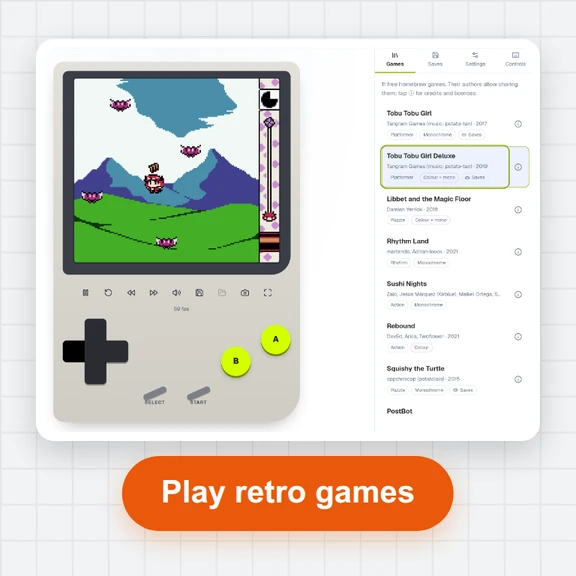 GB / GBC Handheld EmulatorPlay Game Boy (GB) and Game Boy Color (GBC) games in your browser. Import local .gb/.gbc files and use touch, keyboard or gamepad controls, save states, rewind and fullscreen. GBA is not supported.
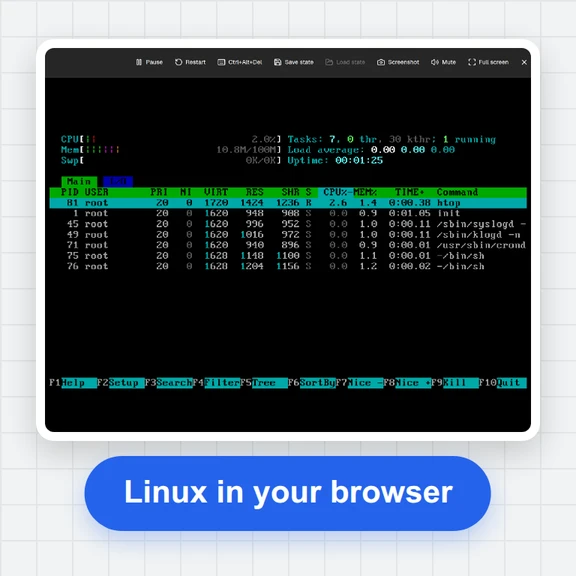 PC EmulatorBoot a real x86 PC in your browser: a Linux shell, FreeDOS with games, or the KolibriOS desktop. Copy files in and out, paste text, save the state. Free, nothing to install.
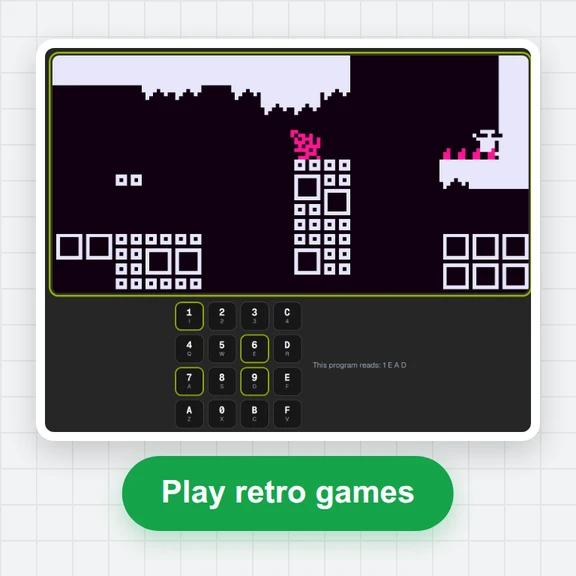 CHIP-8 EmulatorRun CHIP-8, SUPER-CHIP and XO-CHIP programs in your browser: 33 public-domain games, your own .ch8 files, quirk switches, sound, save states and a debugger.
 Game of LifePlay the Game of Life free online: draw cells, drop gliders, guns and spaceships, try HighLife and other rules, import RLE patterns and save a video clip.
 Responsive TesterFree responsive tester: see a website or your HTML at dozens of phone, tablet and laptop screen sizes side by side. Resize, rotate, find overflow, save screenshots.