
Paste your script
Type or paste what you want to say. You see the word count and how long it takes to read.
Smooth scrolling at the pace you speak, with mirror mode for teleprompter glass. Control it from the keyboard or a Bluetooth remote, and record yourself with your webcam.
Open Teleprompter →Type or paste what you want to say. You see the word count and how long it takes to read.
Pick the speed, text size and margins. Turn on mirror mode for teleprompter glass, or the camera to see yourself.
Press Start, or Record to film yourself while you read. Pause with the space bar or a remote, and save your video as MP4.
Use Manlin to reflect, plan and take your next step.

Yes. There’s no app to buy, no subscription and no account. It runs in your web browser on a computer, tablet or phone.
Set it in words per minute: the text then scrolls at that reading pace whatever the text size. Most people speak at 130–160 words a minute. Change it while reading with the up and down arrow keys or the + and − buttons.
Yes. Turn on Flip left–right so the words read correctly in the glass’s reflection, and Flip upside down if your rig needs that too. Then go full screen on the screen under the glass.
Yes. Most remotes act as a keyboard: next and previous (Page Down and Page Up) jump forward and back, and the blank-screen button (B or full stop) pauses. The space bar also plays and pauses.
Turn on “Scroll only while I speak”. The text moves while your microphone hears you and waits when you stop. It measures loudness only, so it works in any language and nothing is recorded or uploaded. It doesn’t recognise words, so it won’t jump back if you skip a line.
Yes. Turn on the camera (behind the text or small at the top) and press Record. You get a video of you, without the words on it, that you can trim and save as MP4 or WebM.
Your script and settings are kept in this browser so they’re there next time. They’re never uploaded.
Yes. Tap the text to pause and drag it to move it. Full screen works on Android phones and on iPad; iPhone browsers don’t offer full screen for web pages, so turn the phone sideways for longer lines.
 Video Compressor & EditorCompress video to a smaller size or to fit 10 MB or 25 MB, trim, crop, change speed, convert MP4 to MP3 and remove audio. Free in your browser: no upload, no watermark.
 Video ConverterConvert videos to MP4, WebM, MOV or MKV for free. Pick the quality and resolution, preview the result and download. Runs in your browser: no upload, no sign-up, no watermark.
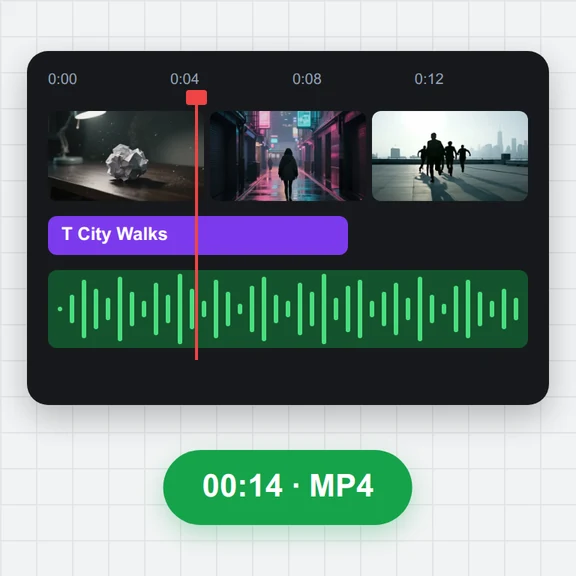 Video EditorEdit videos free in your browser: multi-track timeline, split and trim, transitions, titles, subtitles, music, speed and colour, then export MP4, WebM, GIF or MP3. No upload, no sign-up, no watermark.
 Video to GIF ConverterConvert video to GIF free in your browser: trim MP4, MOV or WebM clips, choose the size and frame rate, and download a looping GIF. No sign-up, no upload, no watermark.
 GIF MakerMake an animated GIF from photos or images free in your browser: reorder frames, set the speed, loop, size, crossfade and text, then download a GIF or MP4. No sign-up, no upload.
 Subtitle GeneratorGenerate subtitles from speech automatically, free. Edit captions, style them, download SRT, VTT or TXT, or burn them into your MP4. No upload, no watermark.