
Choose what to record
Screen, screen with your webcam, or just the camera. Turn the microphone and tab sound on or off.
Record your screen, a window or one browser tab, with your voice and a webcam bubble. No install, no account and no time limit. Trim it and save MP4 or WebM.
Open Screen Recorder →Screen, screen with your webcam, or just the camera. Turn the microphone and tab sound on or off.
Click Start recording and pick a screen, window or tab. After the countdown, talk through it. Pause when you need to, and drag the webcam bubble anywhere.
Stop, watch it back, cut the start and end, and save it as MP4 or WebM. Nothing leaves your computer.
Use Manlin to reflect, plan and take your next step.

Yes. There’s no account, no subscription, no watermark and no time limit. It runs in your browser, so there’s nothing for us to charge for.
No. The video is recorded and saved by your browser on your own computer. It never goes to a server, which is also why there’s no length limit.
As long as your device has room. The size is shown while you record and you’re warned before the browser’s storage for this site runs out. A 1080p screen recording usually takes about 20–50 MB a minute.
In Chrome and Edge, yes: tick “Share audio” when you choose what to share. A tab’s sound can be shared on every system; the whole computer’s sound on Windows and ChromeOS. Firefox and Safari record the microphone only. Your microphone and the shared sound are mixed into one track.
Yes. Choose Screen + camera. Your webcam appears in a circle or rounded square that you can drag anywhere and resize, even while recording, and it’s part of the saved video.
MP4 plays everywhere, including iPhones, PowerPoint and video editors. In Chrome and Edge the video is recorded as H.264, so the MP4 is ready in seconds. Firefox records WebM, which is converted to MP4 on your device when you download it (or save the WebM straight away). Safari records MP4 directly.
The recording is saved to your browser’s storage every second. Open this page again and it offers to recover what was recorded.
Phone and tablet browsers don’t allow websites to record the screen, so use your phone’s built-in screen recorder for that. Here you can still record yourself with the camera and microphone.
No. It works in recent Chrome, Edge, Firefox and Safari on a computer. There’s no extension or app.
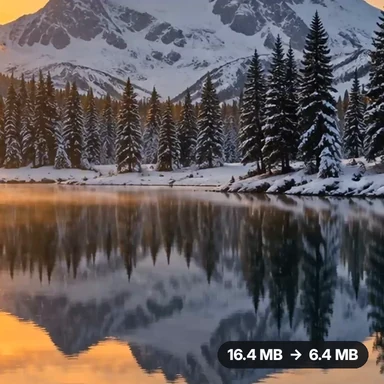 Video Compressor & EditorCompress video to a smaller size or to fit 10 MB or 25 MB, trim, crop, change speed, convert MP4 to MP3 and remove audio. Free in your browser: no upload, no watermark.
 Video ConverterConvert videos to MP4, WebM, MOV or MKV for free. Pick the quality and resolution, preview the result and download. Runs in your browser: no upload, no sign-up, no watermark.
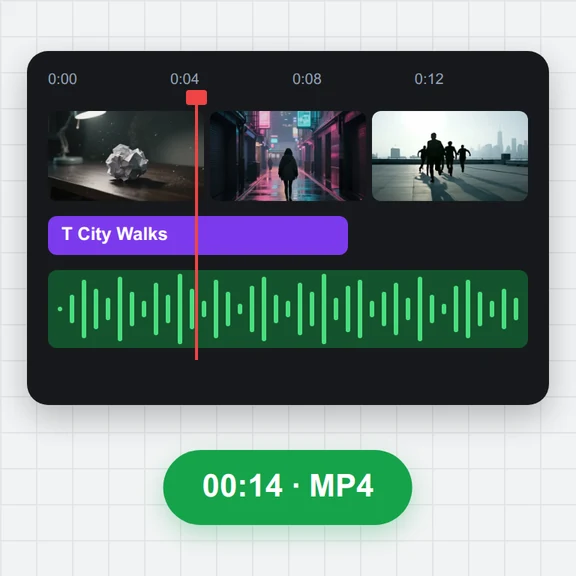 Video EditorEdit videos free in your browser: multi-track timeline, split and trim, transitions, titles, subtitles, music, speed and colour, then export MP4, WebM, GIF or MP3. No upload, no sign-up, no watermark.
 Video to GIF ConverterConvert video to GIF free in your browser: trim MP4, MOV or WebM clips, choose the size and frame rate, and download a looping GIF. No sign-up, no upload, no watermark.
 GIF MakerMake an animated GIF from photos or images free in your browser: reorder frames, set the speed, loop, size, crossfade and text, then download a GIF or MP4. No sign-up, no upload.
 Subtitle GeneratorGenerate subtitles from speech automatically, free. Edit captions, style them, download SRT, VTT or TXT, or burn them into your MP4. No upload, no watermark.