
Add a picture
Drop a drawing, a logo or a photo. White or transparent backgrounds are left empty, so you only buy beads for the design.
Turn a picture into a fuse bead pattern with real Perler, Hama or Artkal colours, names and codes. Edit it bead by bead, then print a numbered chart and a shopping list.
Open Perler Bead Pattern Maker →Drop a drawing, a logo or a photo. White or transparent backgrounds are left empty, so you only buy beads for the design.
Choose Perler, Hama or Artkal, the width in beads and the most colours to use. The pattern updates as you go; fix single beads with the brush.
Download the PDF chart with numbered rows and columns and a shopping list, place the beads on your pegboards and iron.
Use Manlin to reflect, plan and take your next step.

Yes. Make, edit and download as many patterns as you like, with no account and no watermark.
Perler (103 colours), Hama Midi (78) and Artkal S 5 mm (177), each with the brand’s colour names and codes. Clear, glitter, glow, pearl and metallic beads are left out because they look different from their colour once ironed.
The size line under the pattern shows the number of large square pegboards (29 × 29 pegs) and how they are laid out. The 1×29, 2×29 and 3×29 buttons make the pattern exactly one, two or three boards wide.
Each part of the picture gets the closest bead colour as people see it, not just the closest RGB value. With a colour limit, the tool picks the set of colours that matches this picture best, not the first ones on the list.
An overview of the whole pattern with the page layout, the colour list with symbols, codes, counts and how many to buy, then the chart split across pages. Every 10th line is bold, rows and columns are numbered, and pages overlap by two beads with red marks so you can line them up.
The colour list and the CSV give the exact count for each colour plus a column with 10% extra, for beads that get lost or melt badly.
Yes. Switch the craft to cross-stitch or diamond painting for DMC colours, fabric count and drill size, to knitting for a colourwork chart sized to your gauge, to quilt for a pixel quilt with a cutting list, or to pixel art for a PNG with classic palettes like PICO-8, Game Boy and NES.
Enter your gauge (stitches and rows per 10 cm) and the width in stitches. Because a stitch is wider than it is tall, the chart gets more rows so the knitted picture keeps its shape. Rows are numbered from the bottom, stitches from the right, and the Fair Isle check marks rows with more than two colours and floats longer than you allow.
Choose a quilt size (baby, throw, twin, queen or king) or a custom width, and the finished size of each square. The picture becomes a grid of squares in about eight fabrics, and the cutting list gives the number of squares per fabric, the cut size with seam allowances, and how much fabric to buy, plus binding and backing.
No. The pattern is made in your browser; your picture never leaves your device.
 Sticker MakerMake die-cut stickers free: add a white border and a cut line around any design, download a 300 DPI PNG and the cut line as SVG or DXF for Cricut and Silhouette. No upload.
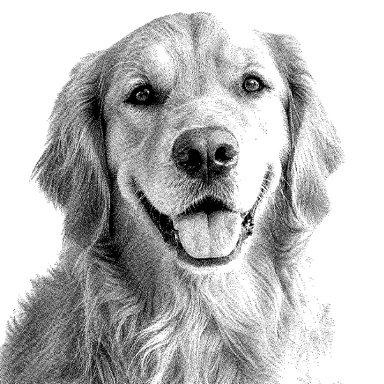 Photo to Laser EngravingPrepare photos for laser engraving free: material presets for wood, slate and leather, 8 dithering methods, exact size and DPI, PNG for LightBurn. No sign-up, no upload.