
Choose what it opens
A website, Wi-Fi network, contact card, email, phone call, SMS or plain text. The code updates as you type.
Make QR codes for links, Wi-Fi, contacts, email and more. Add your colors and logo, then download PNG or SVG for free.
Open QR Code Generator →A website, Wi-Fi network, contact card, email, phone call, SMS or plain text. The code updates as you type.
Pick colors, module and corner shapes, and add your logo. The generator warns you if a style may be hard to scan.
Save a PNG or SVG, then scan it with your phone before you print or share it.
Use Manlin to reflect, plan and take your next step.

Yes. Create, customize and download QR codes as PNG or SVG without an account, subscription or watermark. There are no limits on how many codes you make or how often they are scanned.
No. These are static QR codes: the link or text is stored in the code itself, so it keeps working for as long as the destination does. Many “free” generators make dynamic codes that point to their own redirect and stop working when a trial ends. Codes made here do not depend on Manlin at all.
No. The code is drawn in your browser. The link, Wi-Fi password or contact details you type and any logo you add stay on your device.
Yes. Add a PNG, JPG, WebP or SVG logo and it is placed in the middle of the code. Error correction is raised to High so the code can still be read. Keep the logo simple and test the code with your phone before printing.
Use a dark code on a light background with strong contrast. Most phone cameras cannot read light codes on dark backgrounds. The generator warns you when contrast is too low or the code is inverted.
Download SVG for print and design tools: it stays sharp at any size. Download PNG for websites, slides and messages. PNG sizes are adjusted slightly so every module lands on whole pixels, which keeps edges crisp.
As a rule of thumb, make the code at least 2 × 2 cm (about 0.8 × 0.8 in) and about one tenth of the distance it will be scanned from. Keep the margin around it free of other graphics.
No. Static codes cannot be edited after they are made. If you need to change the destination later, point the code at a page you control and update that page instead.
It adds redundancy so a code can still be read when part of it is dirty, damaged or covered by a logo. Low restores about 7% of the code, Medium 15%, Quartile 25% and High 30%. Higher levels make the code denser.
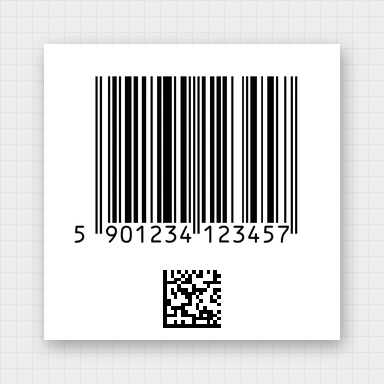 Barcode GeneratorMake barcodes free: EAN-13, UPC-A, Code 128, GS1-128, ITF-14, Data Matrix and more, with check digits. Download SVG, EPS, PDF or PNG at 300/600 DPI, or a label sheet.
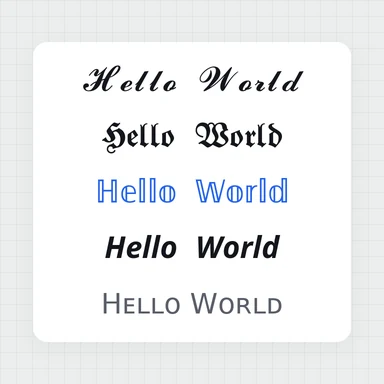 Font GeneratorFree font generator: type once and copy your text in 30 fancy styles – cursive, bold, gothic, bubble, small caps, upside down and more. Works in Instagram, TikTok and Discord. No ads.